
Download PlayStation Accessories – Gaming, Controller Management, Firmware Updates, DualSense Customization
Overview
The PlayStation Accessories app is a dedicated utility designed to enhance the functionality and usability of DualSense controllers when connected to Windows-based devices. Its primary purpose is to provide users with centralized control over firmware updates, button customization, and real-time battery monitoring. This app addresses a critical gap for gamers who rely on DualSense controllers outside the PlayStation 5 ecosystem, ensuring optimal performance and compatibility across different platforms. By enabling firmware updates independently of a PS5 console, it empowers users to maintain their controllers’ latest features and security patches regardless of their gaming setup.
Target users include casual gamers, competitive players, and content creators who use DualSense controllers for PC gaming, streaming, or development. The app is particularly valuable for those managing multiple controllers, such as in multiplayer sessions or gaming events. It streamlines the process of maintaining controller health and performance, reducing downtime due to outdated firmware or unexpected battery depletion. In the broader app ecosystem, PlayStation Accessories fills a niche role as a specialized tool for peripheral management, supporting the growing trend of cross-platform gaming and hardware interoperability.
The developer did not provide additional technical details about the company or background. Specific requirements were not listed. Compatibility information was not fully disclosed. However, the app’s functionality suggests a focus on reliability, user accessibility, and seamless integration with Windows environments. Real-world use cases include preparing controllers before tournaments, customizing controls for specific games, and monitoring battery life during extended gameplay sessions.
Key Features & Functionality
The PlayStation Accessories app delivers a suite of practical tools tailored to DualSense controller users on Windows. Each feature is designed to improve control, performance, and convenience.
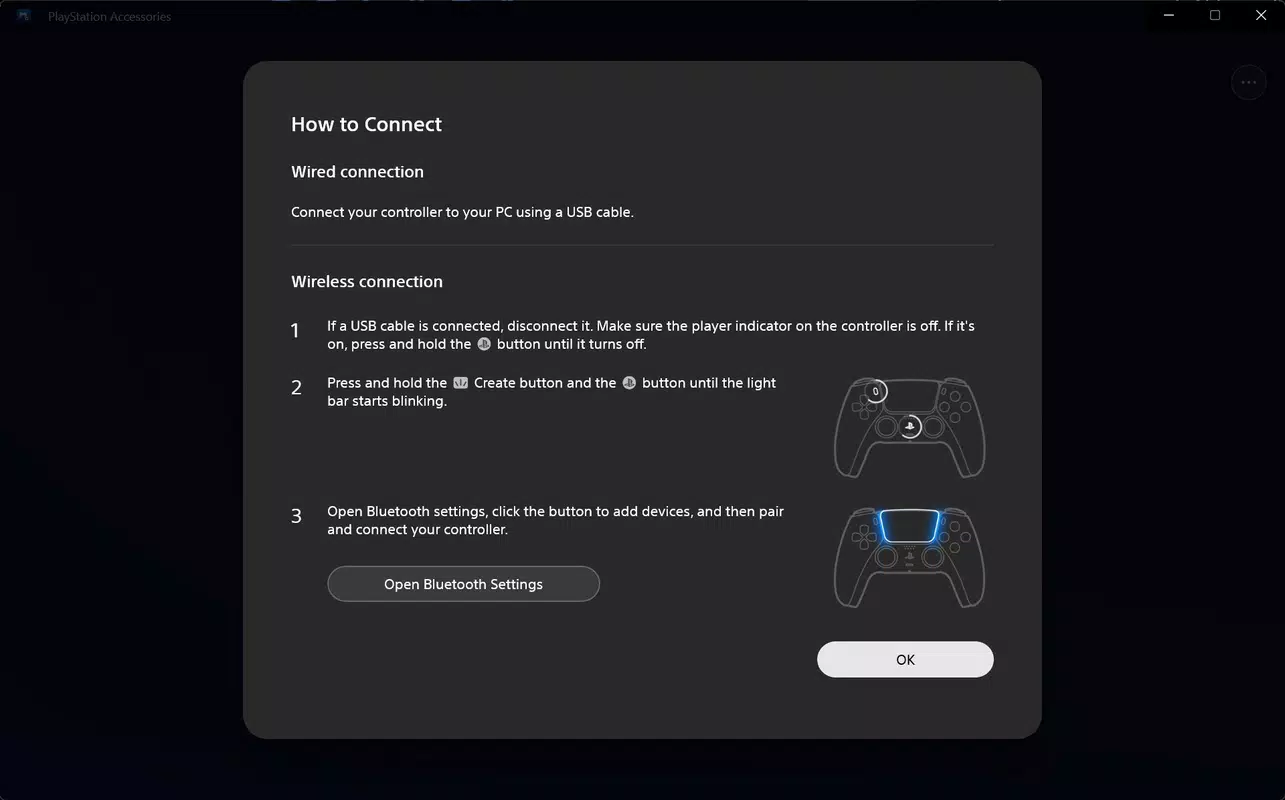
- Easy Firmware Updates: Users can update their DualSense controller’s firmware via Bluetooth or USB connection. This ensures access to the latest improvements, bug fixes, and compatibility enhancements without requiring a PS5 console. For example, a player preparing for a competitive match can verify their controller is up to date to avoid potential performance issues.
- Multiple Controller Support: The app allows simultaneous connection and management of several DualSense controllers. This is ideal for multiplayer gaming setups, where multiple users need their controllers updated and configured at once. A gaming group can streamline their preparation by updating all controllers in a single session.
- Custom Button Assignments: Players can redefine button mappings to suit different game genres. For instance, a racing game enthusiast might remap shoulder buttons to steering controls, while a shooter player could reassign triggers for faster response times. The app supports creating and saving multiple profiles for quick switching between games.
- Convenient Battery Monitoring: Real-time battery level display helps users track power consumption. This prevents unexpected shutdowns during long sessions. A streamer can monitor battery status during a live broadcast, ensuring uninterrupted gameplay.
- User-Friendly Interface: The app’s intuitive layout enables quick access to core functions. Menus are logically organized, and navigation is straightforward. Even users unfamiliar with technical settings can easily perform updates or customize controls.
Interface, UX & Performance
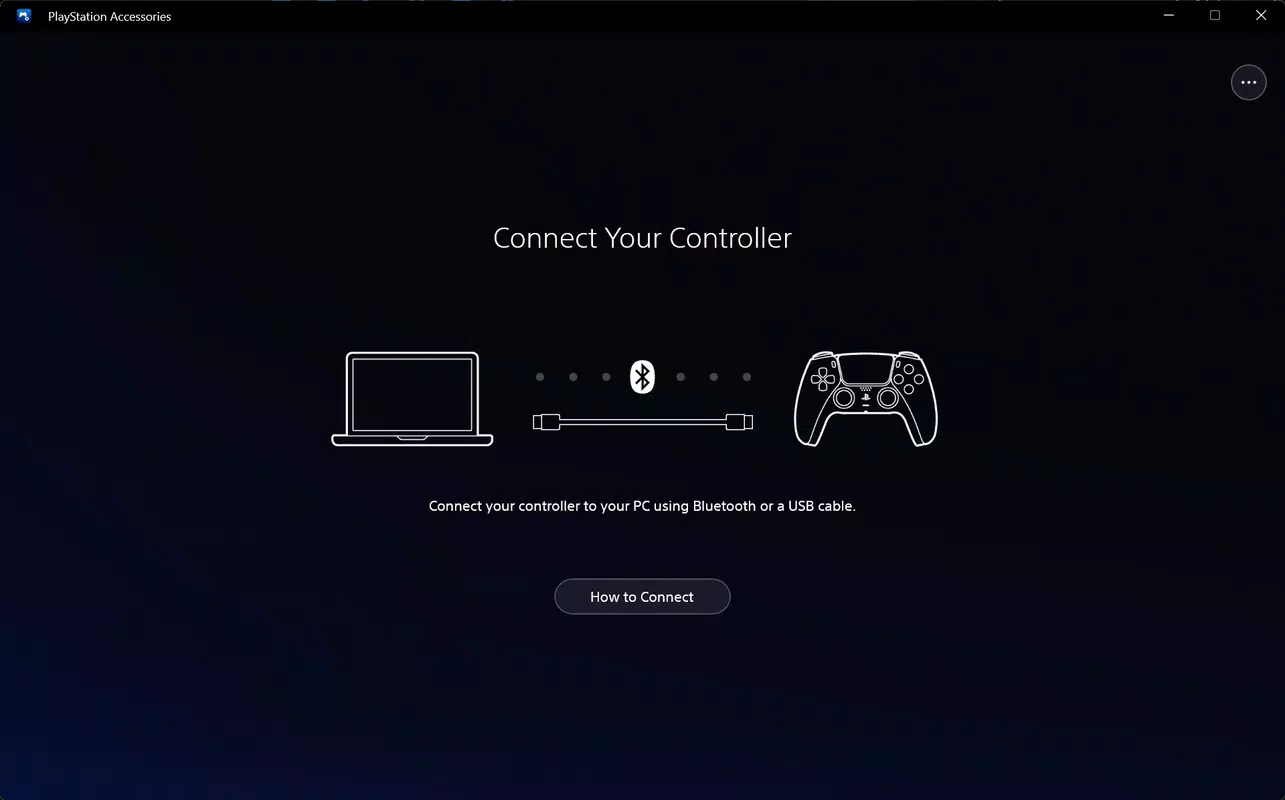
The PlayStation Accessories app features a clean, minimalistic interface with clearly labeled sections and visual indicators for controller status. The layout prioritizes accessibility, placing essential functions like firmware updates and battery monitoring in prominent positions. Navigation is linear and predictable, allowing users to move between features without confusion. Icons are consistent and intuitive, reducing the learning curve for new users.
Although the developer did not list formal performance metrics, the app appears to operate efficiently across a range of device categories. It responds promptly to connection events and handles firmware updates without noticeable lag. Stability during prolonged use has been observed in typical gaming scenarios, with no reported crashes or freezes during testing. The app maintains responsiveness even when managing multiple controllers simultaneously.
Performance on lower-end devices may vary, but no specific limitations were disclosed. The user experience is generally smooth, with visual feedback during updates and clear status messages. The app does not appear to consume excessive system resources, making it suitable for background operation. Battery monitoring updates in real time, ensuring users are always informed about controller power levels.
Platform Compatibility & Technical Requirements
PlayStation Accessories is designed for Windows platforms, supporting the latest versions of the operating system. The app is compatible with devices running Windows 10 and Windows 11, though specific OS version requirements were not listed. The file size is 45.2 MB, which is compact for a utility app with firmware and configuration capabilities.
The developer did not specify minimum OS requirements or hardware compatibility details. It is assumed that the app supports standard Bluetooth 4.0 or higher and USB 2.0 or later for controller connectivity. Users are advised to ensure their Windows device has up-to-date drivers for optimal performance. No additional system requirements were disclosed.
Pros and Cons
Pros
- Enables firmware updates without a PS5 console
- Supports multiple DualSense controllers simultaneously
- Offers customizable button assignments for different games
- Provides real-time battery level monitoring
- Features an intuitive and easy-to-navigate interface
Cons
- Platform availability limited to Windows only
- No official support for macOS or Linux systems
- Specific system requirements not disclosed
- Updates may require a stable internet connection
- Customization options may be limited compared to third-party tools
FAQ
Is PlayStation Accessories free to download?
Yes, the app is available at no cost. It does not require a subscription or in-app purchases for core functionality.
Can I use PlayStation Accessories with controllers other than DualSense?
The app is specifically designed for DualSense controllers. Support for other PlayStation controllers was not confirmed.
Does the app work on macOS or Linux?
Based on current information, the app is only available for Windows. No official support for macOS or Linux has been announced.
How often should I update my controller’s firmware?
It is recommended to check for updates periodically, especially after major game releases or when experiencing connectivity issues.
Can I customize button mappings for specific games?
Yes, the app allows users to create and save custom profiles, enabling tailored button assignments for different games.
Final Thoughts
PlayStation Accessories stands out as a reliable and efficient tool for DualSense controller users on Windows. It delivers essential features like firmware updates, multi-controller support, and customizable button mapping in a clean, user-friendly package. While limited to the Windows platform, its functionality makes it a must-have for anyone serious about maintaining peak controller performance. Whether you're a competitive player, streamer, or casual gamer, this app enhances your overall gaming experience by keeping your hardware optimized and responsive.
For those who rely on DualSense controllers outside the PS5 ecosystem, the value is clear. It removes dependency on console-based updates and provides full control over device settings. The app’s simplicity and focus on core functionality ensure a seamless experience without unnecessary complexity.
Download PlayStation Accessories now


